FJD Trion Scan
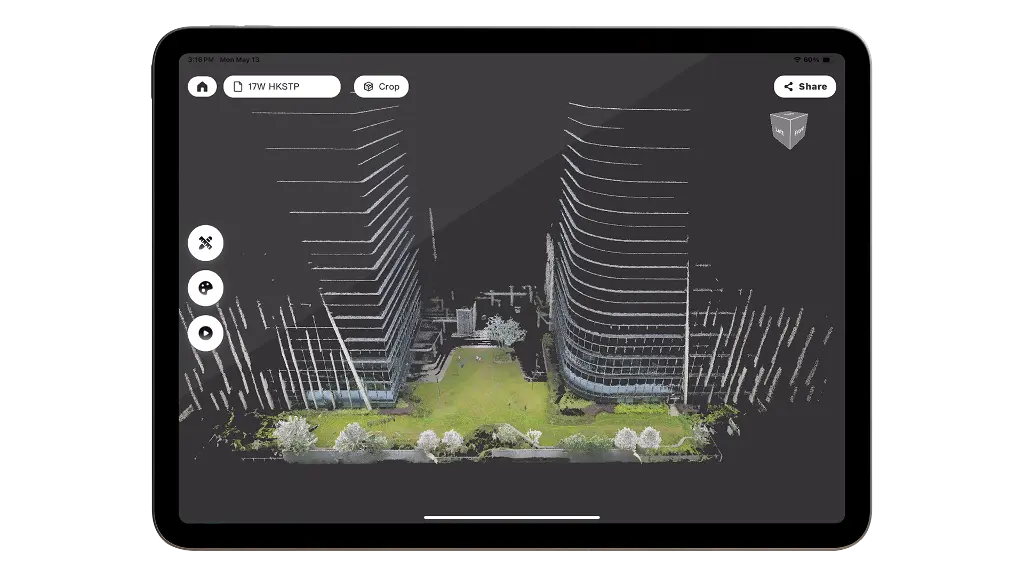
Live coverage check on the tablet before you leave the plot
Trion Scan is the field app that ships with FJD handheld scanners. Watch the colourized cloud build as you walk, confirm loop closure, and catch holes while the crew is still on site — including GPS-denied interiors and canopy. Finish the job in Trion Model PC or Web when you are back at the desk.
Built for the complete workflow
See the cloud as you walk
The colourized point cloud builds on the field tablet in real time. You are not guessing coverage from a blinking progress bar.
Catch holes before demobilizing
Check completeness and loop closures while the crew is still on the plot. A return visit costs more than another pass today.
GPS-denied spaces included
SLAM carries the trajectory through interiors, tunnels, and canopy. Use RTK GNSS outdoors when you need the cloud georeferenced.
Same job, next software
When the walk is done, the scan moves into Trion Model PC or Web for classification, drawings, and sharing — one quote, one workflow.
Ships with the scanner
Trion Scan is the capture app on the field tablet. Norrpoint quotes the handheld scanner, the field workflow, and the office license together.
Live 3D on the tablet
Real-time point cloud visualization on a mobile device or tablet. Confirm that walls, plant rooms, and façades are in the cloud before you pack up.
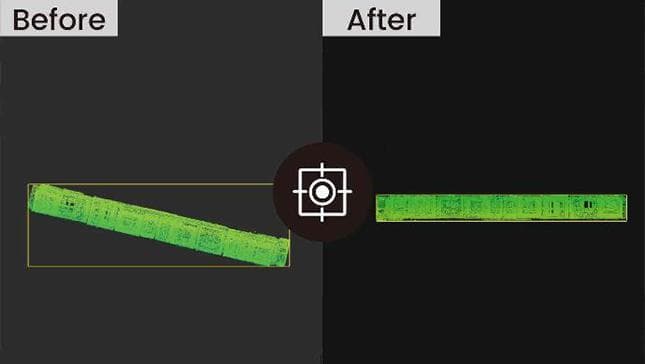
Coverage you can verify on site
Monitor loop closures and data completeness in the field. Colourized feedback lets crews see plot coverage before they demobilize — useful under canopy and in GPS-denied interiors.

Hand off to the office without a format maze
The field cloud uses the same .las / .e57 path as Trion Model. Process drawings, volumes, and BIM deliverables on the desktop or share the project in the browser.
Workflow snapshots
Live capture
- Walk-and-scan visualization
- Colourized real-time cloud
- Field tablet and iPadOS
- GPS-denied interiors and canopy
Quality check
- Coverage review before you leave
- Loop-closure monitoring
- Gap spotting on the tablet
- Confirm the trajectory on site
Handoff
- Same scan into Trion Model PC
- Same scan into Trion Model Web
- .las / .e57 / .ply / .pts path
- Quoted with the handheld scanner
Frequently asked questions
Build your complete scanning workflow
Pair FJD Trion Scan with the right FJDynamics scanner and local support.